

For churches across Washington, the website has become part front door, part information desk and part ministry platform. Before a first-time guest walks into a sanctuary, that person may search the church name, compare congregations, check service times, review beliefs, look at children's ministry, watch a sermon and decide whether the church feels understandable enough to visit.
Your original article correctly focused on service times, location, directions, visual identity, simple content management, integrations and ongoing website support. Those remain foundational. The larger opportunity is to connect them into a complete digital ministry strategy: discovery, trust, planning a visit, attending, returning and eventually participating more deeply in the life of the church.
The church website strategy in one minute
- Design first for the person who has never visited your church.
- Put service times, location and the “plan your visit” path near the top.
- Make beliefs, leadership, children's ministry and contact information easy to understand.
- Use authentic congregation photography rather than generic imagery when possible.
- Make every important page fully usable on a phone.
- Connect sermons, livestreams, giving, events and ministry tools without creating a confusing interface.
- Build local search relevance around the church's real city and community.
- Keep staff and volunteers able to update routine information without technical stress.
Why Church Website Design Matters in 2026
A church website is not simply an online brochure. It is often the first substantial interaction a newcomer has with the congregation. A confusing website can create unnecessary uncertainty before a visitor ever has the opportunity to meet someone in person.
That does not mean a church needs an expensive visual spectacle. It needs clarity. People should understand where the church meets, when services begin, what to expect, how children are cared for, what the congregation believes and how to ask a question.
Pew Research Center's 2023–24 Religious Landscape Study found that one-third of U.S. adults attend religious services in person at least monthly, while 23% watch religious services online or on television at least monthly. When Pew combines in-person and virtual participation, 40% of U.S. adults say they participate in religious services at least monthly in one or both ways. That digital participation makes sermons, livestreams and online ministry more than optional extras for many congregations.
“The church website should remove unnecessary uncertainty between ‘I found this church’ and ‘I know enough to visit.’”Desa Digit church website principle
A modern church site therefore serves several audiences at once: the first-time guest, the occasional attender, the regular member, the parent looking for children's information, the person watching remotely and the community member seeking help or prayer.
The Church Visitor Journey: From Google Search to Sunday Morning
The Digital-to-In-Person Church Visitor Journey
Step 1: Discovery
A newcomer may hear the church name from a friend, see a social post or search Google for a congregation nearby. The church website and local search presence should make the church easy to identify without exaggeration or manipulative marketing.
Step 2: Orientation
Once on the website, visitors usually need basic answers. Where is the church? What time are services? What does worship look like? What does the church believe? Is there something for children? Is parking straightforward? What should someone wear?
Step 3: Trust
Trust grows through accurate information, real photography, recognizable leaders, clear beliefs, visible policies and a site that feels actively maintained. A visitor should not wonder whether the church is still meeting because the homepage contains an event from two years ago.
Step 4: Planning
A dedicated “Plan Your Visit” experience can reduce friction. Include the address, map, service times, parking information, children's check-in details, accessibility information and a simple way to contact the church.
Step 5: Connection
After a visit, the website becomes useful in a different way. Sermons, groups, events, serving opportunities, giving and contact information help people move from curiosity toward participation.
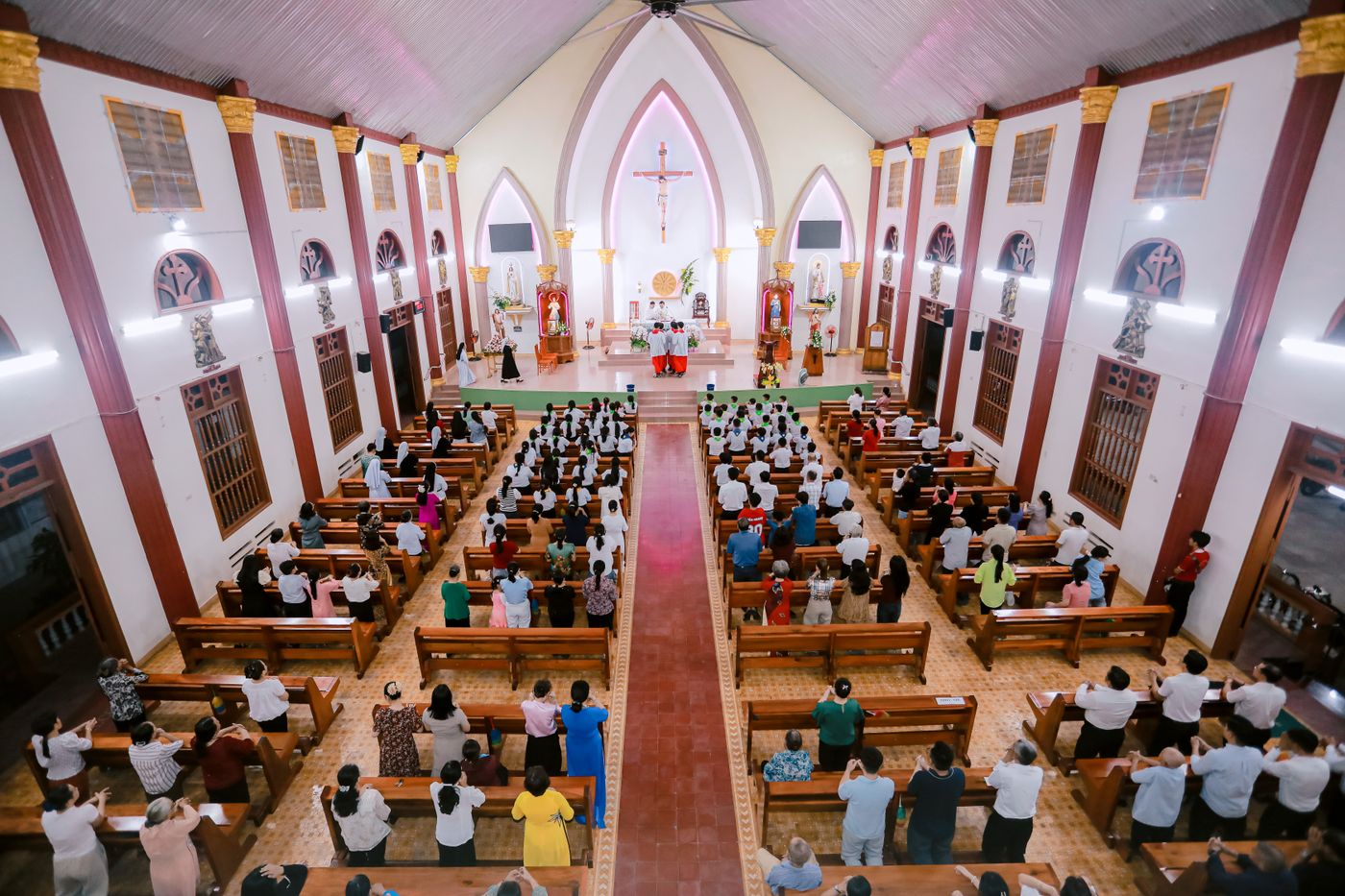
The Anatomy of a High-Performing Church Homepage
Desa Digit's article on five things every church website must have focuses on the essentials. A flagship homepage builds on those essentials without turning the top of the site into a wall of buttons.
Essential Church Website Features in 2026
Service Times and Location
These should be among the easiest facts to find. If a church meets in a school, theater, rented venue or multiple campuses, explain that clearly.
Plan Your Visit
Answer the questions church insiders may overlook: where to enter, whether parking is free, how children's check-in works, whether the building is accessible and how long the service usually lasts.
Beliefs and Doctrine
A church should not hide its theological identity behind generic lifestyle language. Visitors should be able to understand core beliefs, denominational connections when relevant and the church's approach to ministry.
Leadership Page
Names, roles, photographs and concise biographies help people understand who leads the congregation. Include contact pathways where appropriate without exposing personal information unnecessarily.
Children and Youth Ministry
Parents often need detailed information before arriving. Explain ages, check-in, safety practices, meeting times and how to contact ministry leaders.
Sermon Library
Organize sermons so users can browse by date, series, Scripture, speaker or topic when the content library is large enough to justify it.
Events
Keep events current. Expired events should automatically disappear from prominent areas rather than making the church look inactive.
Giving
Online giving should be secure, clearly labeled and connected to a trusted processor. Avoid placing giving so aggressively that a first-time visitor feels the site is centered on money.
Prayer Requests
Provide a respectful submission path and explain whether requests are private, shared with staff or distributed to a prayer team.
Accessibility
Readable text, keyboard access, descriptive link labels, sufficient color contrast, captions for video and useful alternative text help more people use the site.
Church Website SEO: How Washington Churches Get Found
Church SEO should be modest, accurate and locally relevant. Search optimization does not require turning ministry language into sales copy. It requires helping search engines understand the church's name, location, services and content.
Google says local results are mainly based on relevance, distance and prominence. Complete and accurate Business Profile information can improve how well Google understands an organization. Reviews and links can contribute to prominence, while distance depends on the searcher's location.
Use the Church's Real Name and Location Consistently
Keep name, address, phone number and website consistent where the church is listed. If the congregation meets at a temporary venue, make the meeting address clear while following Google's eligibility rules for Business Profiles.
Create Useful City Relevance
A church in Olympia should naturally mention Olympia and the communities it serves. It does not need dozens of thin pages targeting every nearby suburb.
Optimize Titles and Headings
Pages should use clear labels such as “Children's Ministry,” “Sunday Worship,” “What We Believe” and “Church in Olympia, Washington” where that language accurately describes the page.
Build Crawlable Internal Links
Google recommends crawlable links that clearly connect pages. A homepage should link to the pages newcomers and members actually need rather than hiding everything inside scripts or visual widgets.
Mobile Matters
Google uses the mobile version of a site's content for indexing and ranking. Important text, images, headings and links should therefore remain available on phones. A beautiful desktop church website that becomes incomplete on mobile is not a strong solution.
Livestream, Sermons and Online Ministry
Pew's latest Religious Landscape Study shows that online participation remains meaningful: 23% of U.S. adults watch religious services online or on TV at least monthly. For churches, that means the digital ministry audience includes shut-ins, travelers, people exploring the church before visiting and members unable to attend.
Make the Livestream Easy to Find
Use a dedicated “Watch Live” or “Livestream” link when live video is a meaningful part of ministry. Avoid forcing users through several menus.
Keep Archived Sermons Organized
If sermons live on YouTube, Vimeo or another platform, the church website can still provide the organized discovery experience. Embed selectively and link to full channels when appropriate.
Caption Video
Captions improve accessibility and can help viewers follow teaching in noisy or quiet environments.

Church Website Design: Custom Build vs. Website Builder
Your original article correctly identified this as one of the most important decisions. There is no universal winner. The right choice depends on budget, volunteer capacity, technical requirements, integrations and how distinct the church needs the digital experience to be.
| Approach | Best for | Strengths | Watch for |
|---|---|---|---|
| Custom WordPress / Elementor | Churches wanting flexible design and ownership | Custom layout, broad integrations, strong content control | Requires maintenance and responsible optimization |
| Squarespace / Wix | Small teams needing simplicity | Fast setup, hosted platform, visual editing | Less control for complex church workflows |
| Church-specific builders | Churches prioritizing ministry workflows | Church-oriented templates, sermons, events, integrations | Design and data portability vary by provider |
| Fully managed agency | Churches without technical staff | Strategy, design, maintenance and support | Higher ongoing investment; clarify ownership |
| DIY / volunteer build | Very small churches with capable volunteers | Low cash cost and internal control | Continuity risk when the volunteer leaves |
Church leaders comparing options can also use Desa Digit's church website comparison table to think through platform tradeoffs.
Designing for Staff and Volunteers Who Actually Maintain the Website
A church website fails when the design is beautiful but nobody can keep it current. The content-management workflow should match the people who will use it.
- Routine event updates should not require a developer.
- Staff should know where to change service times and announcements.
- At least two trusted people should understand account access.
- Passwords and administrative access should not live only with one volunteer.
- Hosting, backups, plugin updates and security responsibility should be documented.
Some churches prefer ongoing management rather than maintaining the site internally. Desa Digit's ongoing church website support is designed around that need.
Church Website Design for Washington Congregations
Washington is not one church market. A Seattle congregation, a Spokane church, an Olympia church plant and a rural congregation in eastern Washington may serve very different communities. The website should reflect the church's actual context rather than a generic “Pacific Northwest church” aesthetic.
Seattle & Bellevue
Dense competition and diverse audiences make clarity, transit or parking information, multilingual considerations and strong local discovery especially useful.
Tacoma & Pierce County
Churches can emphasize neighborhood identity, community ministries, service times and practical visitor information.
Olympia, Lacey & Thurston County
Local church searches often cross city boundaries. Explain the real congregation location and the communities people commonly travel from.
Spokane & Eastern Washington
Churches serving a wide geographic area may need especially clear directions, ministry calendars and digital sermon access.
Vancouver & Southwest Washington
Cross-market proximity to Portland makes precise location and identity important for local search and first-time visitors.
Yakima, Tri-Cities & Rural Communities
A church website may also function as a broader community information hub where digital alternatives are fewer.
Church Website Accessibility and Inclusion
Accessibility is not simply a technical compliance issue. Churches regularly serve older adults, people with visual or hearing impairments, visitors using assistive technology and people accessing the site through small screens or slow connections.
- Maintain strong color contrast.
- Use headings in a logical order.
- Label buttons and links clearly.
- Add captions to video.
- Write useful alt text for meaningful images.
- Do not place essential information only inside images.
- Make forms usable with keyboards and screen readers.
- Keep font sizes readable without zooming.
Church Website Security, Privacy and Trust
Church websites may process giving, prayer requests, event registration and information about children or volunteers. That makes responsible data practices important.
Use HTTPS
The website should load securely over HTTPS. Giving should be handled through reputable payment platforms rather than improvised forms.
Collect Only What You Need
A prayer request form does not need unnecessary personal information. Children's ministry forms should be designed with appropriate privacy and safety practices.
Maintain Software
WordPress, themes and plugins require updates. Backups should be tested, not merely assumed to exist.
What Church Website Photography Should Look Like
Authentic church photography is usually more persuasive than stock photographs because people want to understand the congregation they may visit. With appropriate consent and safeguarding practices, photographs can show worship, fellowship, pastors, volunteers, the building and ministries.
Do not publish identifiable images of children carelessly. Churches should establish clear photo policies and respect families who do not want images used online.
The 50-Point Church Website Checklist
For a deeper troubleshooting list, see Desa Digit's 50 church website mistakes that drive visitors away.
How Much Does Church Website Design Cost?
Church website pricing varies because churches need very different things. A five-page informational church website is not equivalent to a multisite platform with sermon filtering, giving integrations, events, staff workflows, multilingual content and member systems.
When comparing proposals, ask what is included: design, content migration, photography, SEO setup, integrations, hosting, maintenance, training, accessibility work and post-launch support. A lower upfront price can become expensive if essential work is excluded.
How to Start a Church Website Project
1. Define the Ministry Goal
Decide whether the primary goal is helping new visitors, simplifying communication, improving online sermons, supporting multiple campuses, replacing an outdated system or all of the above.
2. Audit the Existing Website
List what works, what confuses visitors, what staff cannot update and which pages people actually use.
3. Gather Real Content
Collect service times, beliefs, ministry descriptions, leadership bios, authentic photos, sermon links and event information before design is finalized.
4. Choose the Platform and Responsibility Model
Clarify who will host, update, secure and own the website. Church staff should understand the long-term operational plan, not only launch day.
5. Build Around Visitors First
Design the first-time guest journey before adding secondary member features. A newcomer should not have to decode insider language.
6. Test With Real People
Ask someone unfamiliar with the church to find the service time, children's ministry, beliefs, address and contact information. Their confusion is valuable feedback.
7. Launch and Keep Improving
Review analytics, Search Console, visitor questions and staff feedback after launch. A church website is an ongoing ministry tool, not a finished poster.
Research and authoritative resources
Frequently Asked Questions About Church Website Design
What should a church website include in 2026?
At minimum, a church website should make service times, location, visitor information, beliefs, leadership, children's ministry, contact information and current next steps easy to find. Many churches also benefit from sermons, livestream, events, giving, prayer requests and group information.
How much does a church website cost?
Cost depends on page count, custom design, content migration, integrations, sermon systems, giving, multilingual needs and ongoing support. Churches should compare the full scope and long-term responsibility rather than only the initial price.
Should a church use WordPress and Elementor?
WordPress and Elementor can be effective for churches when the site is built carefully, optimized for mobile performance and maintained responsibly. They are especially flexible for churches that want custom design and broad integration options.
Does a church need a mobile app?
Not every church needs an app. An app can be useful for highly engaged members, notifications, sermons and giving, but a fast mobile-friendly website should come first because newcomers should not need to install an app to learn about the church.
How important is livestreaming for churches?
Pew Research Center found that 23% of U.S. adults watch religious services online or on television at least monthly. Livestreaming can serve members who cannot attend and people exploring a church before visiting.
How can a Washington church rank better on Google?
Use accurate local information, complete an eligible Google Business Profile, maintain a mobile-friendly website, create clear location and ministry pages, earn authentic links and reviews, and keep the church's information consistent across the web.
What makes a church homepage effective?
An effective homepage quickly communicates the church's identity, city, service times and visitor path, then offers clear routes to beliefs, ministries, sermons and current next steps without overwhelming users.
What Would Your Church Website Look Like If It Were Built Around the People You Want to Reach?
Desa Digit builds church websites designed to welcome first-time guests, communicate clearly and remain practical for the staff and volunteers who manage them.
Explore Church Website Design